Crew Payroll & Settlements
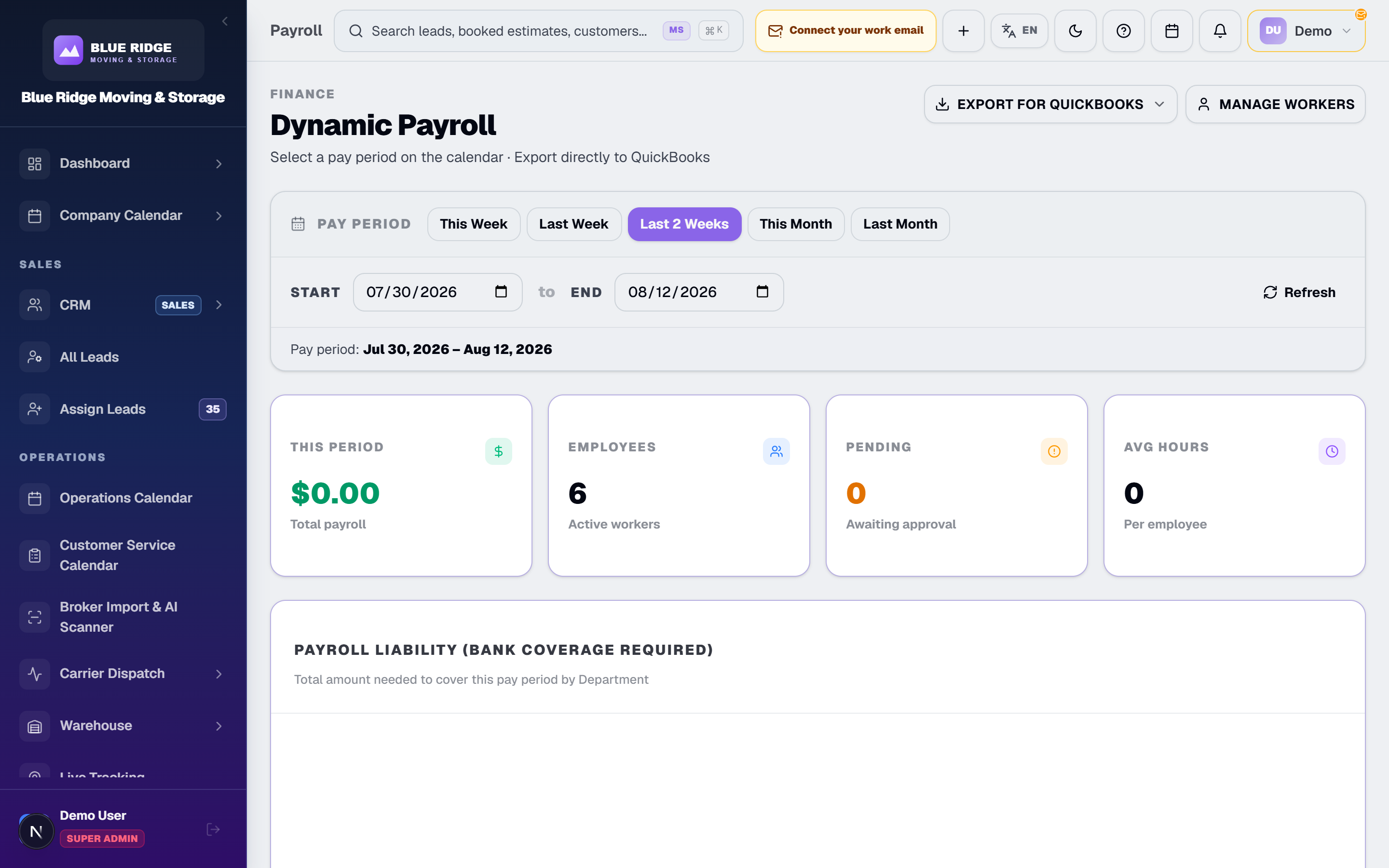
Pay sales reps and foremen their commissions from the jobs they actually sold and ran — then export it to QuickBooks as CSV. No spreadsheet archaeology.
How Payroll Works Here
Payroll disputes come from bad records. When pay is tied to the move record, the argument is already settled.
1. Pay follows the assignment
The rep, the foreman and the crew are assigned on the booked estimate. That assignment is the payroll source: who sold the job and who ran it as foreman. Nobody reconstructs the week from a group chat.
2. Commissions from real money
Sales commissions calculate from the booked estimate and the payments recorded on it: a full-job commission on the job as first booked, deposit commission on the deposit actually paid. The rep's number and your number come from the same record.
3. Foreman pay per job, not per argument
The foreman on each job earns their percentage of the remaining balance: the final total minus the deposit actually collected. What the job billed, who ran it, and what the foreman is owed sit together on the job’s record.
4. Export to QuickBooks as CSV
When the period closes, export payroll as QuickBooks-compatible CSV files. Your bookkeeper imports structured numbers instead of a hand-built spreadsheet, and the books tie back to the same records that ran the moves.
Why It Beats the Fragmented Setup
Payroll built in Excel from memory is slow, wrong, and impossible to defend when a crew member disputes it.
The Fragmented Setup
- ✕Commission math argued rep-by-rep every pay period
- ✕Reps paid on deposits that were quoted but never arrived
- ✕Foreman percentages figured on the back of a rate sheet
- ✕Everything re-typed into QuickBooks by hand
movingstorageapp.com
- ✓Commissions calculated from the booked estimate and real payments
- ✓Deposit commission paid on money received, not money quoted
- ✓Foreman pay from the per-job assignment, on the job’s own record
- ✓QuickBooks-compatible CSV export
Payroll Questions, Answered
Where does payroll data come from?
From the moves themselves. The sales rep, the foreman and the crew are assigned on the booked estimate, and payments are recorded against it, so every commission ties back to a real job — not a spreadsheet somebody rebuilds on Friday.
Does it handle commissions?
Yes. A full-job commission is calculated on the job as it was first booked, and deposit and binding-fee commissions on the money the customer actually paid, never on money only quoted. Each rep’s rate is set per person.
How are foremen paid?
The foreman assigned to a job earns their personal percentage of the remaining balance: the job’s final total minus the deposit actually collected. Pay follows the assignment on that job, not the person’s title, so someone assigned as the driver earns nothing on it. Hourly crew wages are not calculated in the app.
Can I export to QuickBooks?
Yes. Payroll exports as QuickBooks-compatible CSV files that your bookkeeper imports, instead of re-keying a spreadsheet. It is a file export, not a live QuickBooks sync.
Close Payroll Without the Sunday-Night Math
See commissions calculate off real jobs and export to QuickBooks in a live demo. Full payroll and commissions come with Professional and Enterprise, from $599 a month. Carrier: foreman payroll only (% of remaining balance).